Describe it in plain English
Type what you need, like "remove blank rows and bold the header", and MacroRoni suggests the steps. No VBA to learn.
Describe what you want in plain English. MacroRoni builds the macro, explains every step, checks the risk and shows you the result before anything runs.
Windows 10 and 11 · works with the Excel desktop app · try it without an account
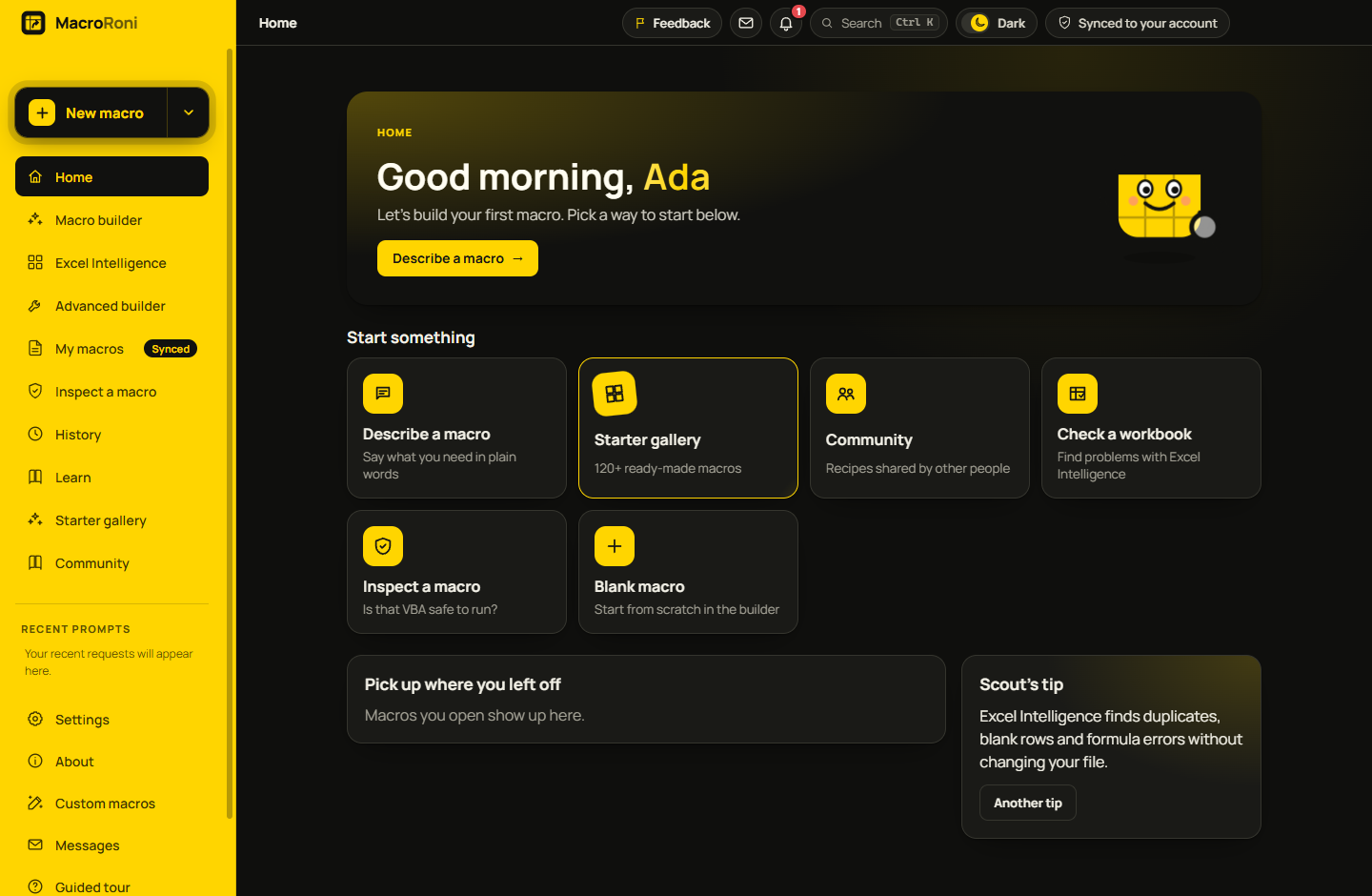
ChatGPT can write VBA, but it can't tell you what it will do to your data. MacroRoni builds from tested steps and shows you exactly what changes.
Type what you need, like "remove blank rows and bold the header", and MacroRoni suggests the steps. No VBA to learn.
Each step comes with a plain-English explanation and a risk level, and a Safety Review flags anything that deletes or overwrites data.
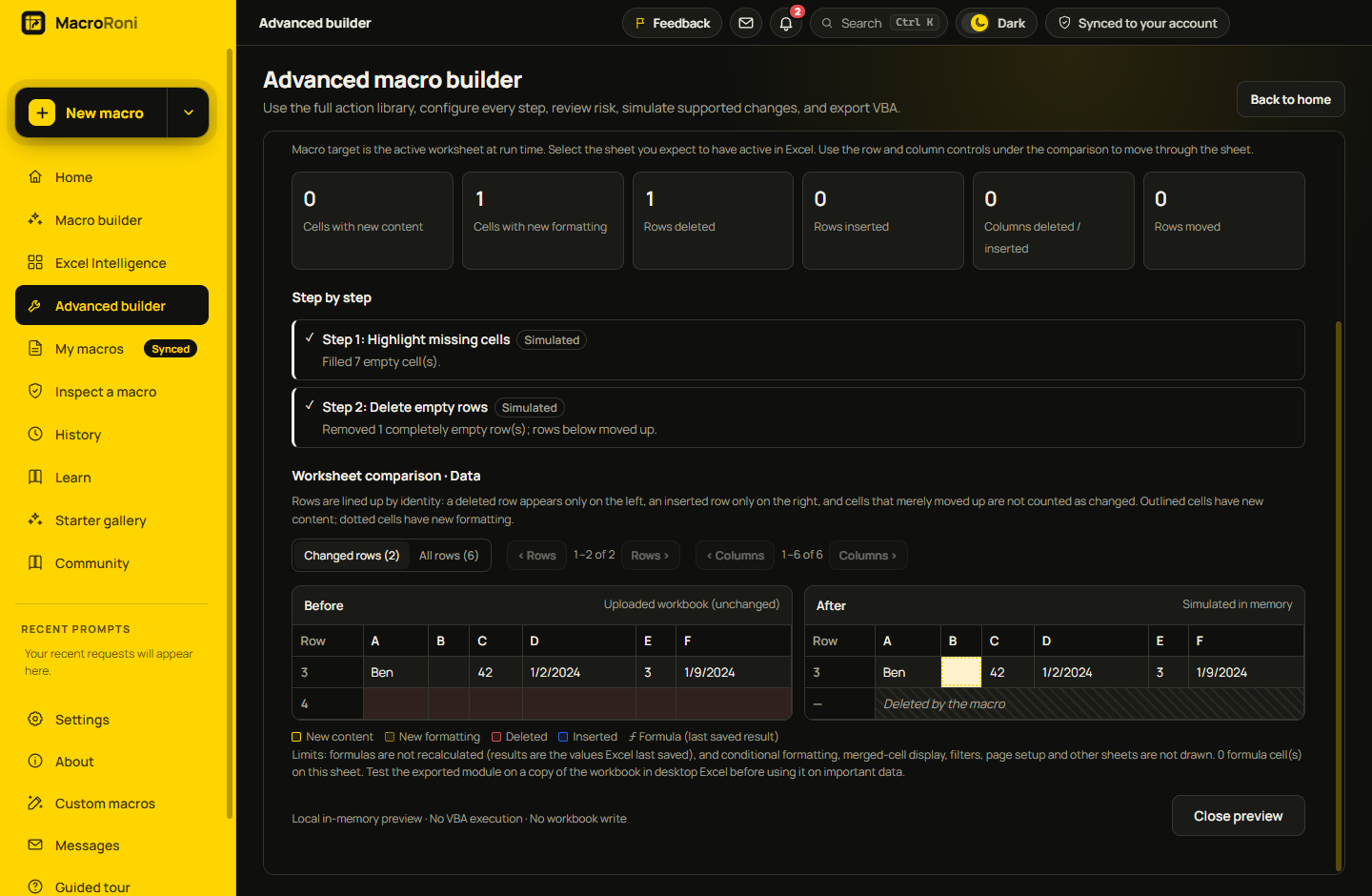
Preview the result on your own workbook: before and after, side by side, with every changed cell marked.
Macros that change data can make a backup copy first and add an undo point, because Excel can't undo a macro.
One click puts the macro into the workbook you have open, and can run it for you. No copying and pasting.
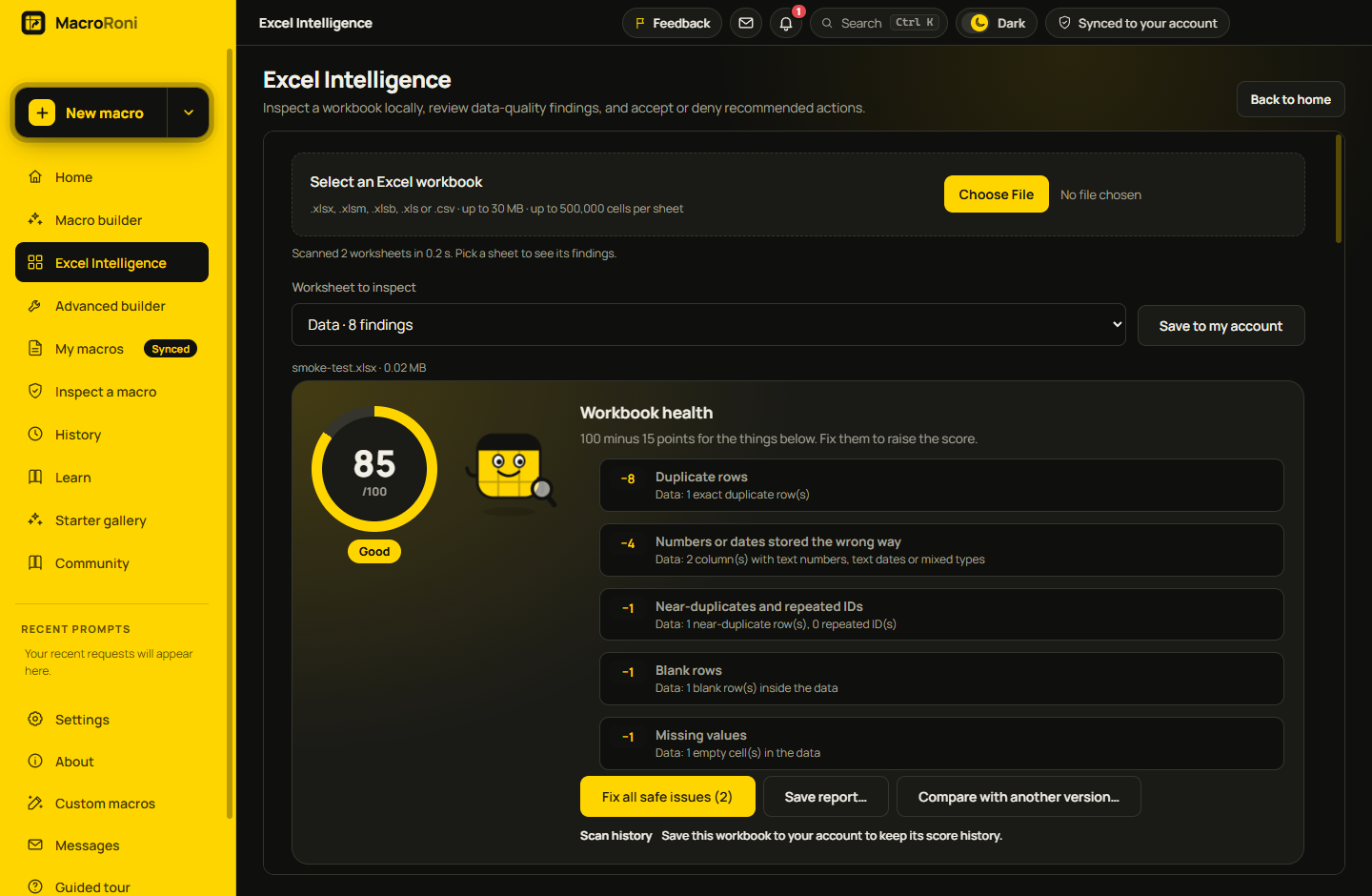
Scan a workbook for duplicates, blank rows, formula errors and mismatched values, with a health score and one-click fixes.
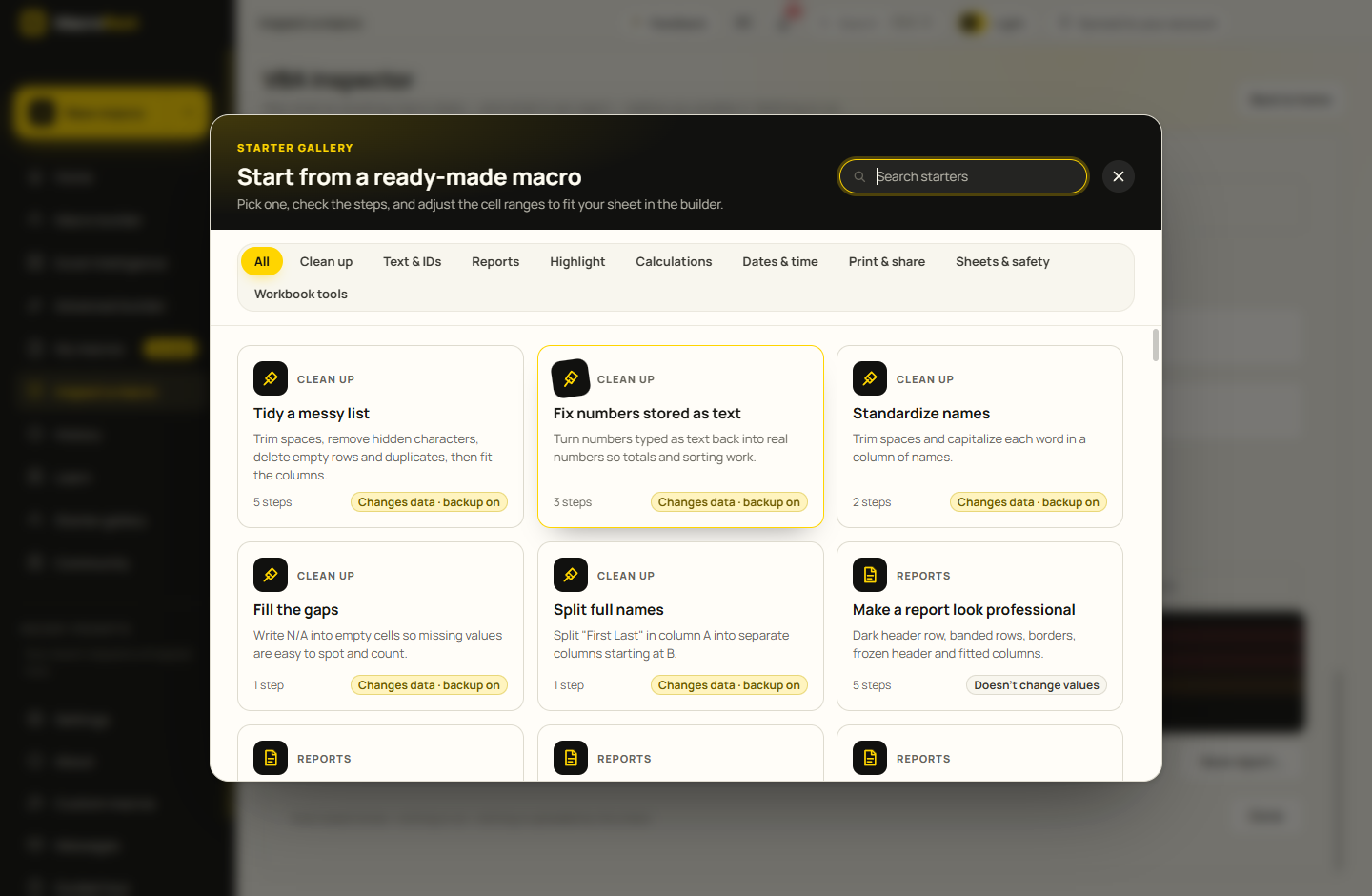
Clean-ups, reports, highlights, dates, printing and more, ready to adjust to your sheet.
Got VBA from somewhere else? The Inspector reads it, scores its safety and explains every risky line before you run it.
Recipes shared by other MacroRoni users and checked by our team, with steps that reach outside your workbook blocked.
Say what you need in your own words, or start from one of 123 ready-made macros.
Every step is explained in plain English with its risk. Adjust the sheet and ranges, and preview the result on your workbook.
Send it straight to Excel with one click, or copy the code. A backup and undo point can be made first.
Pick steps from formatting, text, data, formulas, rows and sheets, or let MacroRoni suggest them from your description. The VBA is written for you, tested and readable.
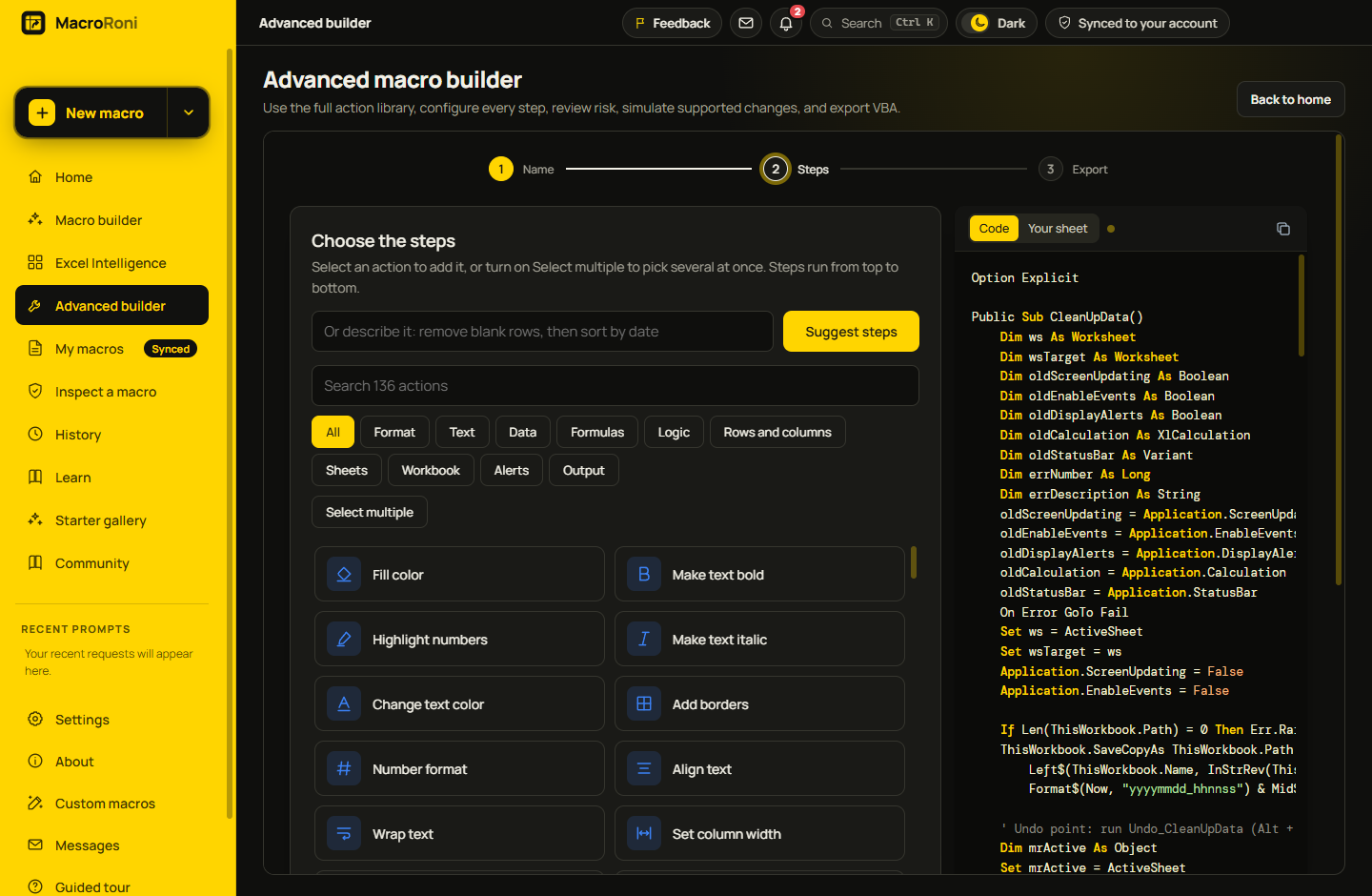
Run a safe simulation on a copy of your sheet in memory. Deleted rows, new values and formatting changes are all marked, so there are no surprises.
Scout scans your workbook on your computer and gives it a score from 1 to 100, with exactly what lowered it: duplicates, blank rows, text stored as numbers, formula mistakes and more.
Browse 123 ready-made macros by category, or recipes shared by other MacroRoni users. Open one, check the steps and adjust it to your sheet.
Macros can change or delete data, and Excel can't undo them. That's why every part of MacroRoni is designed around knowing what will happen before it does.
MacroRoni is free to download and use. You can try it without an account, and a free account saves your macros and syncs them to every computer you use.
A Windows 10 or 11 PC and the desktop version of Microsoft Excel to run macros. Excel for the web doesn't run VBA macros.
No. You describe what you want or pick steps, and MacroRoni writes the code. If you do know VBA, you can read and edit everything it writes.
Workbooks are analysed on your computer. Only things you choose to save to your account, like your macros, are stored online. Read the privacy policy for the details.
Not yet. MacroRoni is Windows-only for now.
Yes. MacroRoni is new, so Windows doesn't recognise it yet. Click More info, then Run anyway. The download page walks you through it.
MacroRoni updates itself. You can also check right away from Settings → Check for updates.
Download MacroRoni and Scout will show you around in about a minute.